> ## Documentation Index
> Fetch the complete documentation index at: https://docs.photalabs.com/llms.txt
> Use this file to discover all available pages before exploring further.
# Remix
> Restyle a photo to match a reference image — content from one photo, style from another, identity preserved
## One photo's content, another photo's style.
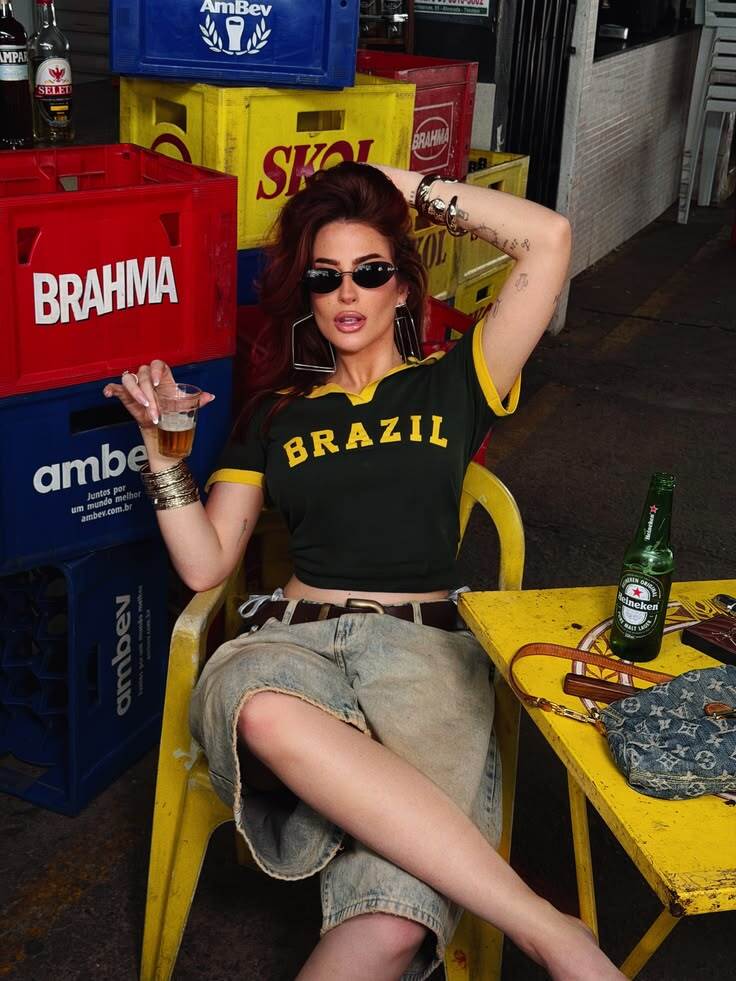
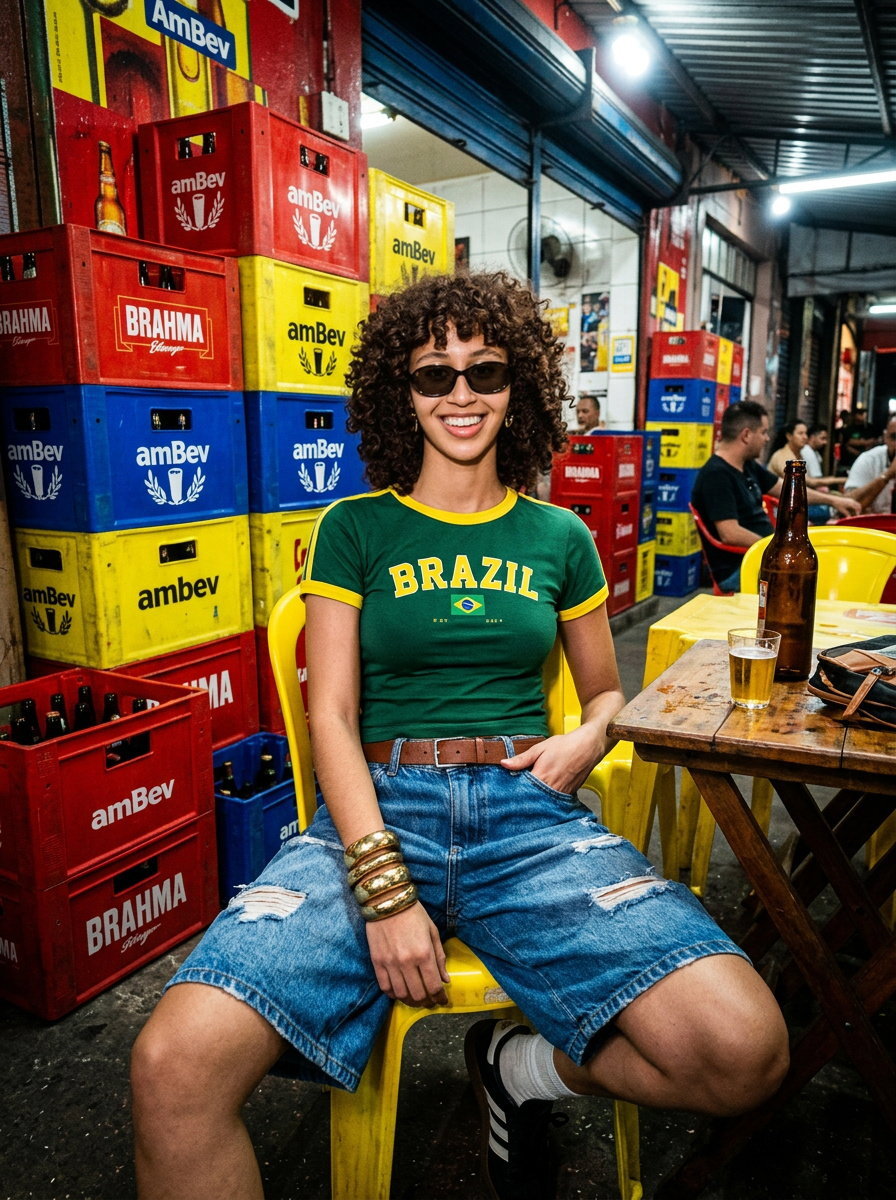
The `/remix` endpoint takes two images: an **input image** (the content) and a **reference image** (the style). The
output keeps the people that are in your photo, as well as other aspects that you specify in the optional prompt, but renders them in the look of the reference:
its lighting, palette, mood, and artistic treatment.
No prompt engineering is needed. If you can find a photo with the look you want, you can apply that look to your own.
 Input
Input
+
 Reference
=
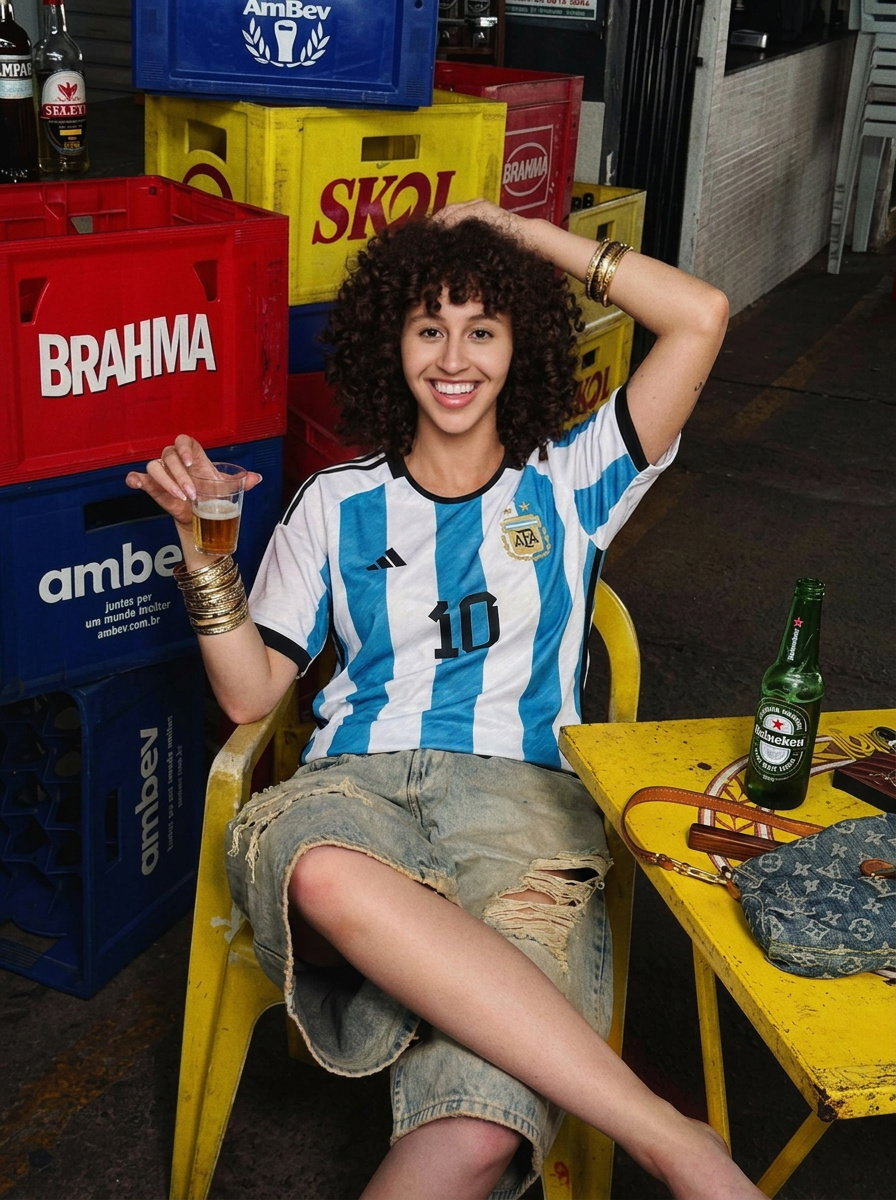
The input and reference stay fixed; flip between the two outputs to see the same remix **without a prompt**
and **steered by an optional `prompt`** — here removing the sunglasses and swapping in an Argentina jersey
while holding the pose.
**When to use it**: applying a brand's visual style to user photos, themed photo features (film looks, editorial
styles, seasonal treatments), matching new shots to an existing campaign's aesthetic — anything where the target look
already exists as an image.
**How profiles help**: Pass [profile](/guides/profiles) IDs in `profile_ids` so that the identity of everyone in your photo stays consistent.
***
## Request
| Field | Required | Description |
| ------------------- | -------- | --------------------------------------------------------------------- |
| `input_image` | yes | The content photo — base64 string or publicly accessible URL |
| `reference_image` | yes | The style source — base64 string or publicly accessible URL |
| `profile_ids` | no | Profiles to preserve identity for recognized people |
| `prompt` | no | Text instructions to steer the remix (e.g. what to keep or emphasize) |
| `num_output_images` | yes | Number of variations to produce |
| `output_format` | yes | `"jpg"` or `"png"` |
| `response_mode` | yes | `"urls"` for signed download URLs, `"bytes"` for inline base64 |
Output resolution is fixed at 2K. `base_model`, `aspect_ratio`, and `resolution` are not accepted. Remix is pinned
to Nano Banana 2, and the output follows the input image's aspect ratio.
```bash curl theme={null}
curl -X POST https://api.photalabs.com/v1/phota/remix \
-H "X-API-Key: YOUR_API_KEY" \
-H "Content-Type: application/json" \
-d '{
"input_image": "https://example.com/photo.jpg",
"reference_image": "https://example.com/reference.jpg",
"profile_ids": ["abc123"],
"num_output_images": 2,
"output_format": "jpg",
"response_mode": "urls"
}'
```
```python Python theme={null}
import requests
resp = requests.post(
"https://api.photalabs.com/v1/phota/remix",
headers={
"X-API-Key": "YOUR_API_KEY",
"Content-Type": "application/json",
},
json={
"input_image": "https://example.com/photo.jpg",
"reference_image": "https://example.com/reference.jpg",
"profile_ids": ["abc123"],
"num_output_images": 2,
"output_format": "jpg",
"response_mode": "urls",
},
)
print(resp.json())
```
The response has the same shape as `/edit`: an `images` list (URLs or base64, per `response_mode`) plus
`known_subjects` counts for any recognized profiles. See the
[API reference](/api-reference/introduction) for the full schema.
Use `prompt` to protect parts of the input from the restyle — e.g. `"Keep the original background"` — or to
emphasize an aspect of the reference's look.
***
## Pricing
Remix is billed like [Enhance](/pricing): **\$0.12 per output image**, or **\$0.15** when a trained profile is
recognized in the output.
***
## Next steps
Create and manage profiles for identity preservation.
Rates for every operation, including remix.
Visual examples across edit, generate, enhance, and remix.
Walk through the full workflow with code examples.
 Output
 Output